Roam

2026-01-27
Original implementation credits go to Hugo Cisneros

Here lie bottom-up (not top-down) notes.

Hugging Face Agents Course

I think as a rule of thumb, when using LLMs, you should just be grateful that it is able to understand LANGUAGE and nothing more.

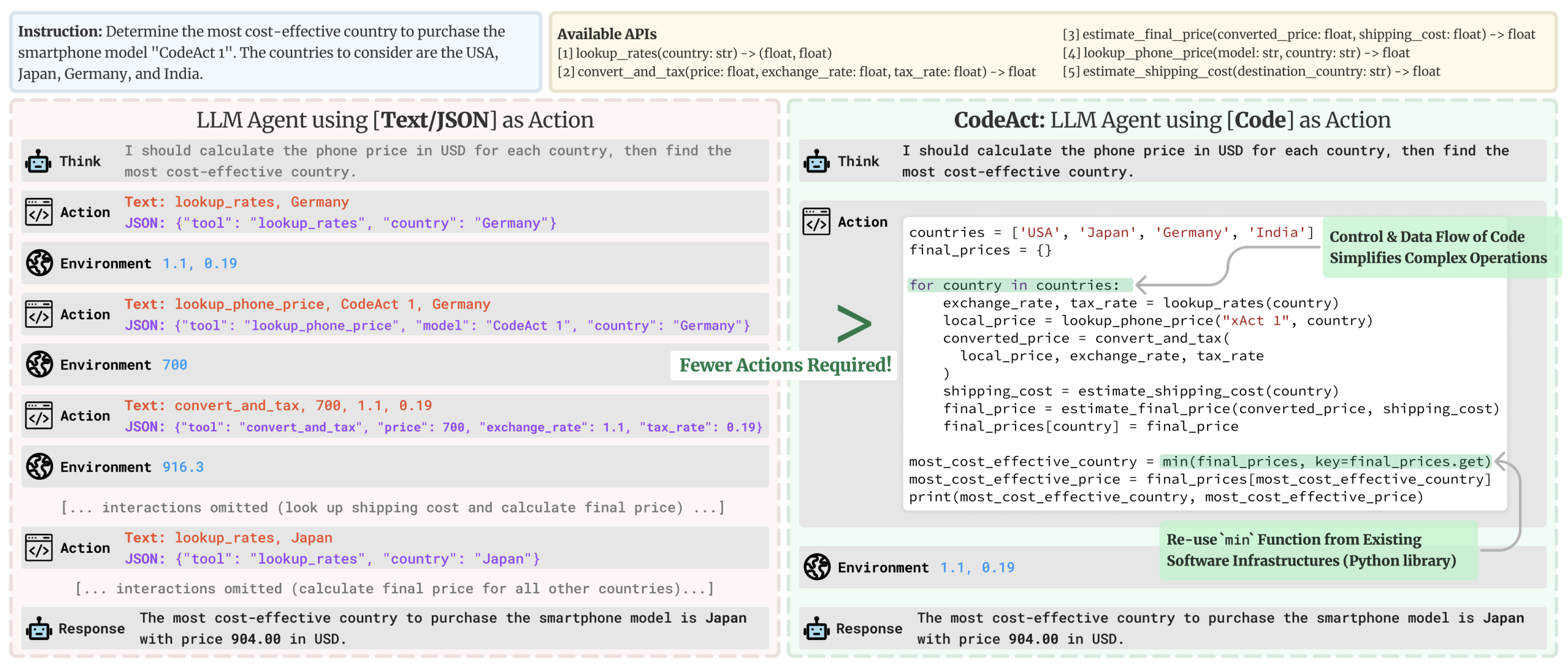
You should not ask it the weather, nor should you ask it to play chess against you, because it does not know how to do those things – instead those activities (arithmetic, weather checking, chess-playing) should be delegated to TOOL CALLS!

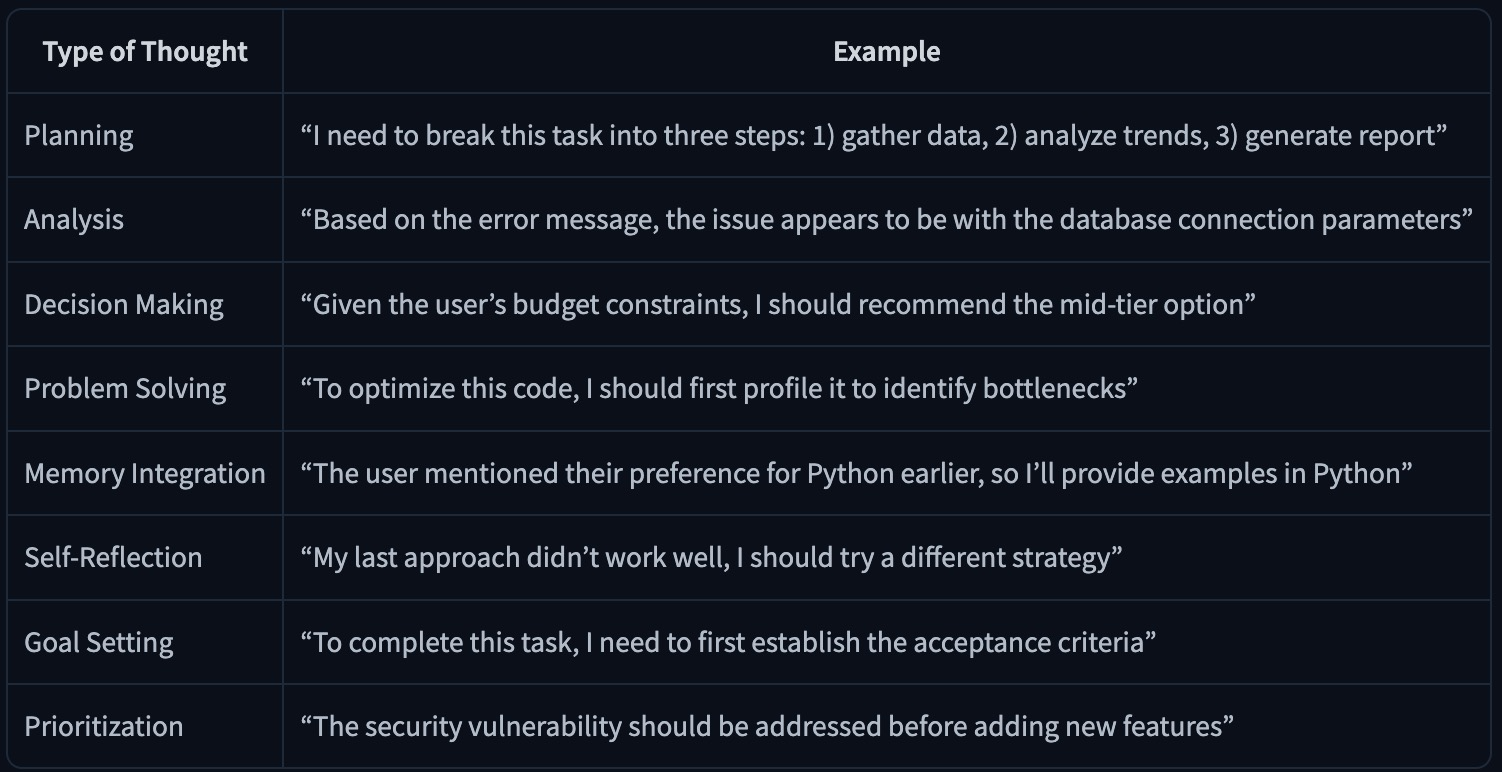
Thought

Action

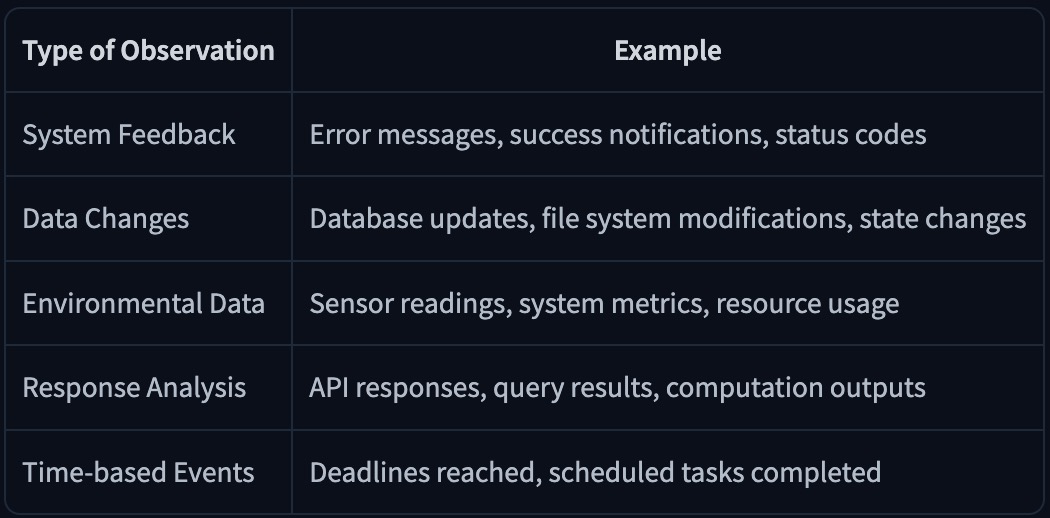
Observation

Certificate

Agentic AI

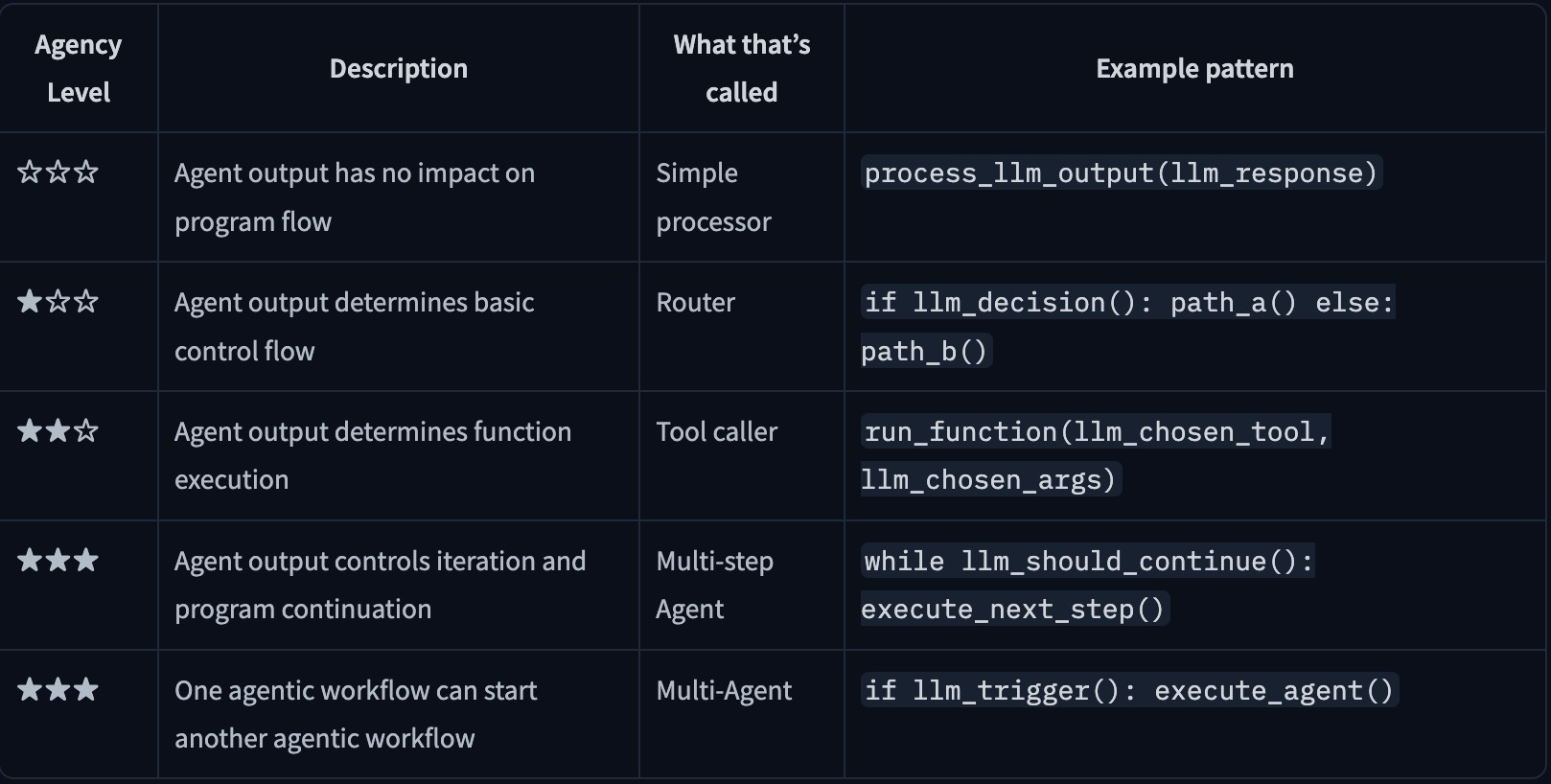
I am trying to decode the agentic AI frameworks:

(Burtenshaw, Ben and Thomas, Joffrey and Simonini, Thomas and Paniego, Sergio, 2025)

LlamaIndex

LangGraph

LangChain

Crew AI

Pydantic AI

smolagents

Github: Ollama Voice Chess

Voice-controlled chess using Ollama.

ollama-voice-chess

https://github.com/abaj8494/ollama-voice-chess

Notes

Backend

the tech-stack used FastAPI on the back-end. usually I use Flask for everything, but the requirements of this project are asynchronous, real-time requests.

FeatureFastAPIFlask
SpeedVery fast (async, based on Starlette)Slower (sync by default)
Async supportNative async/awaitRequires extensions
Type hintsRequired, powers validationOptional
Auto docsBuilt-in Swagger UI at /docsManual setup
ValidationAutomatic via PydanticManual or extensions
WebSocketsBuilt-inRequires Flask-SocketIO

Frontend

the front-end was refactored from one huge index.html file into a Svelte front-end served with Vite.

Read more >

network commands

check if Mac is using the new DNS
scutil --dns | grep nameserver
force DHCP renewal
sudo ipconfig set en0 DHCP

automatic DHCP:

sudo networksetup -setdhcp Wi-Fi
sudo networksetup -setdnsservers Wi-Fi empty

manually DHCP:

sudo networksetup -setmanual Wi-Fi 192.168.1.50 255.255.255.0 192.168.1.1
sudo networksetup -setdnsservers Wi-Fi 192.168.1.100 2001:8004:52b1:6a76:afea:99a1:1790:2aee
to find which process is hogging which port
  # macOS/Linux:
  lsof -i :8765

  # Alternative using netstat:
  netstat -an | grep 8765

  # Using ss (Linux):
  ss -tlnp | grep 8765